-
Monitoring what your child posts, shares and accesses online
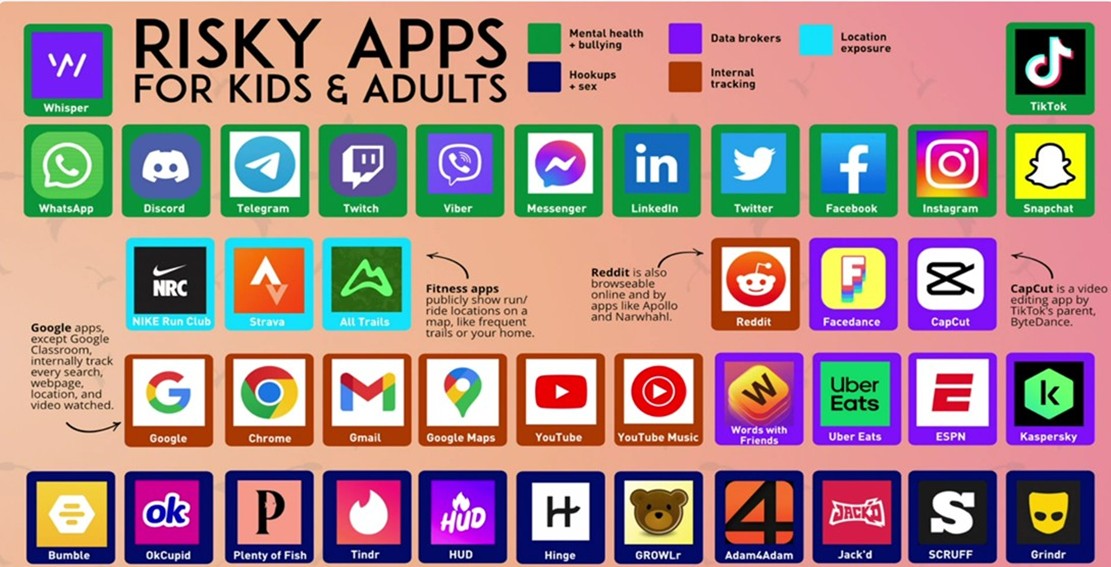
- Respect minimum ages - most social media apps are 13+ and games have clearly labelled age restrictions.
- Turn on parental controls - Apple Family Sharing, Google Family Link, console settings, network/broadband provider parental controls.
- Make privacy the default - check app settings, turn off location
sharing and tagging. - Add home and mobile filters - use broadband parental filters and
device - Keep routines healthy - set downtime, charge outside bedrooms,
write a family agreement. - Learn and show an interest in the platforms your child uses - take a proactive interest in their online life.
Know where to report - CEOP for grooming concerns; NSPCC for advice and
parental control guides.Above all it’s okay to check your child’s device. Talk openly and supportively to your child about how they use their devices.
Lichfield Cathedral School

 Search Site
-
 Translate Page
-
 Facebook
 -
 Instagram
 -
 YouTube
 -
 LinkedIn